

As cryptocurrency continues to gain popularity, protecting your digital assets becomes ever more essential, particularly when using platforms such as the Binance mobile app. Here are a few key strategies for protecting and trading cryptocurrencies safely.
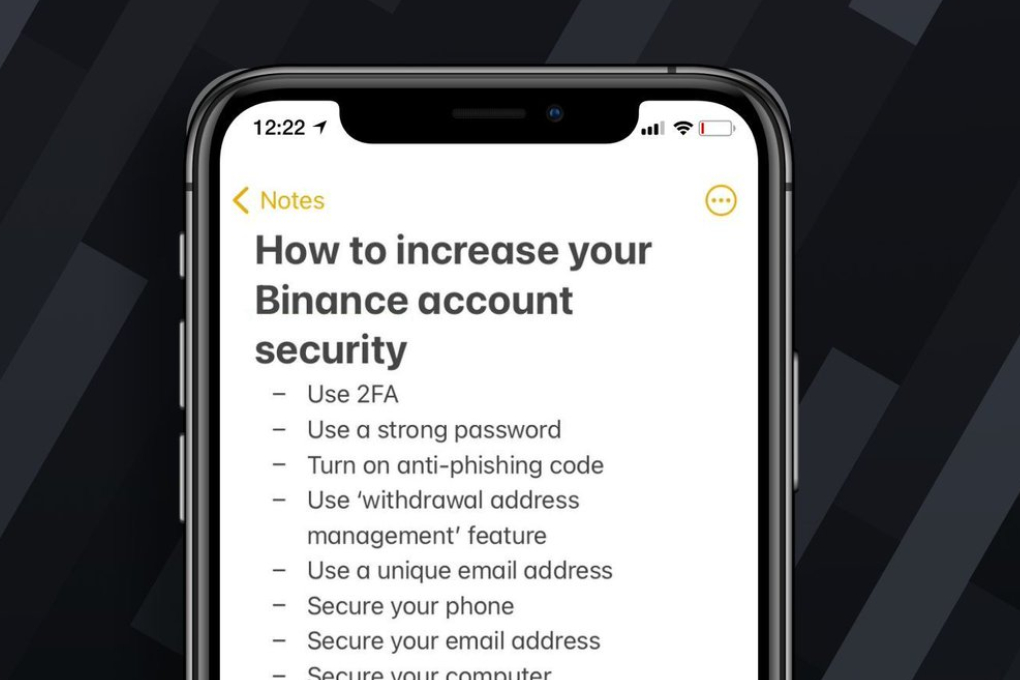
Enable Two-Factor Authentication (2FA).
One of the best ways to safeguard your Binance account is by enabling two-factor authentication (2FA). This adds an extra layer of protection by requiring two forms of verification, typically through Google Authenticator or Authy apps, whenever you log in or withdraw funds from your account. While SMS-based 2FA could leave your account vulnerable to SIM swap attacks, app-based 2FA provides greater security.
Use Strong Passwords
Establish an effective password by combining uppercase letters, numbers, and special characters such as caps lock keys. Avoid easily guessable information like birthdays or common words when creating and storing complex passwords securely with a password manager. Regularly changing your password increases its protection.
Lock the Binance App
To protect your account even if someone gains access to your phone, enable a lock feature in the Binance app itself; this way, even if they gain entry, they cannot gain entry without entering an additional passcode or biometric authentication password. Also, ensure your device has a secure lock screen password or biometric authentication enabled as another layer of defense.
Keep Your Device Secure
Install reputable antivirus software on your mobile device to guard against malware and other potential threats. Be sure to regularly update both the operating system and apps to patch any security holes that may arise over time. In addition, avoid downloading apps from unofficial sources, as these may contain harmful software.
Consider Utilizing a VPN When accessing the Binance app over public Wi-Fi networks, using a virtual private network (VPN) may provide an added layer of protection from attacks by making your connection encrypted, making it more difficult for attackers to gain entry and steal your information.
Whitelist Withdrawn Addresses
To prevent unauthorized withdrawals from occurring on your Binance account, utilize the withdrawal address whitelist feature. This ensures funds can only be sent to pre-approved addresses, adding an extra layer of security against potential hacks.
Maintain Account Activity
It is advisable to regularly review your account activity to detect any unauthorized transactions or changes that might impact it. Binance utilizes real-time monitoring systems that can detect suspicious activities and temporarily suspend withdrawals if something unusual is identified. If anything suspicious arises, contact Binance support immediately.
Be Wary of Phishing Attacks
Stay vigilant against phishing attempts where hackers pose as Binance staff and send fraudulent emails; always verify the sender’s email address before opening unsolicited messages or clicking links in unwarranted emails. Enable the anti-phishing code feature in your account settings so all legitimate communications from Binance include a unique code you only know.
Securing your cryptocurrency investments through Binance mobile app usage is essential to safeguarding them. By employing strategies like 2FA, strong passwords, locking the app, keeping your device secure, using VPN services to encrypt traffic between apps, monitoring activity for potential phishing attempts, and whitelisting addresses to monitor activity, you can dramatically decrease the risk of unauthorized access and potential losses in today’s rapidly evolving cryptocurrency landscape. Prioritize these measures now for an enhanced trading experience!